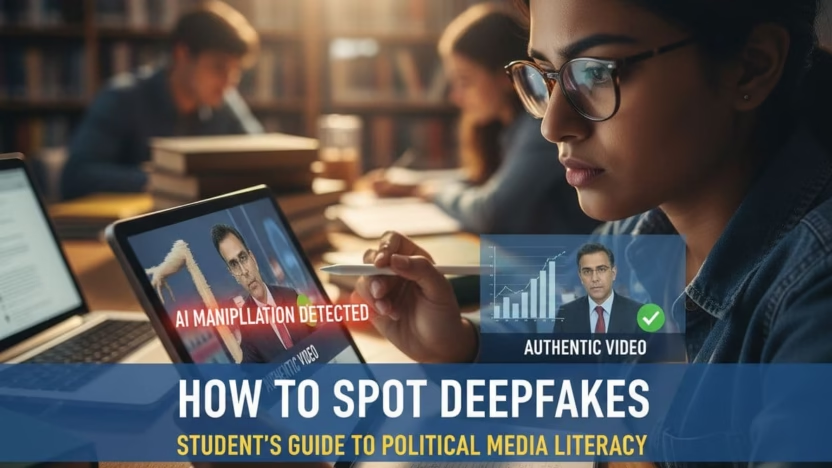
You scroll, you see a shocking video of a politician, and your first thought is, “No way they actually said that.” In 2025, that reaction is getting harder to trust.
Cheap AI tools can now create deepfake political videos that look real enough to fool smart people, not just casual scrollers. Some are made as obvious memes, others are designed to swing votes, spread hate, or make money from outrage.
This guide will help you watch like a detective. You will learn simple checks you can use in under a minute, so you can protect your feed, your friends, and your own reputation when you share.
Key Takeaways
- Deepfake political videos often spread fast, appear just before major events, and come from low-trust accounts.
- Visual and audio clues like weird blinking, stiff body language, and robotic voices are strong warning signs.
- A quick routine of checking the source, searching for the clip, and pausing before sharing keeps you safer online.
Table of Contents
- Key Takeaways
- Why Deepfake Political Videos Are A Big Deal For Students
- First Checks: Source, Context, And Timing
- Visual Red Flags In AI-Edited Political Clips
- Audio, Speech, And Body Language Clues
- A Simple 60-Second Checklist Before You Share
- Conclusion: Stay Curious, Not Paranoid
- Frequently Asked Questions About How To Spot AI-Edited And Deepfake Political Videos As A Student
Why Deepfake Political Videos Are A Big Deal For Students
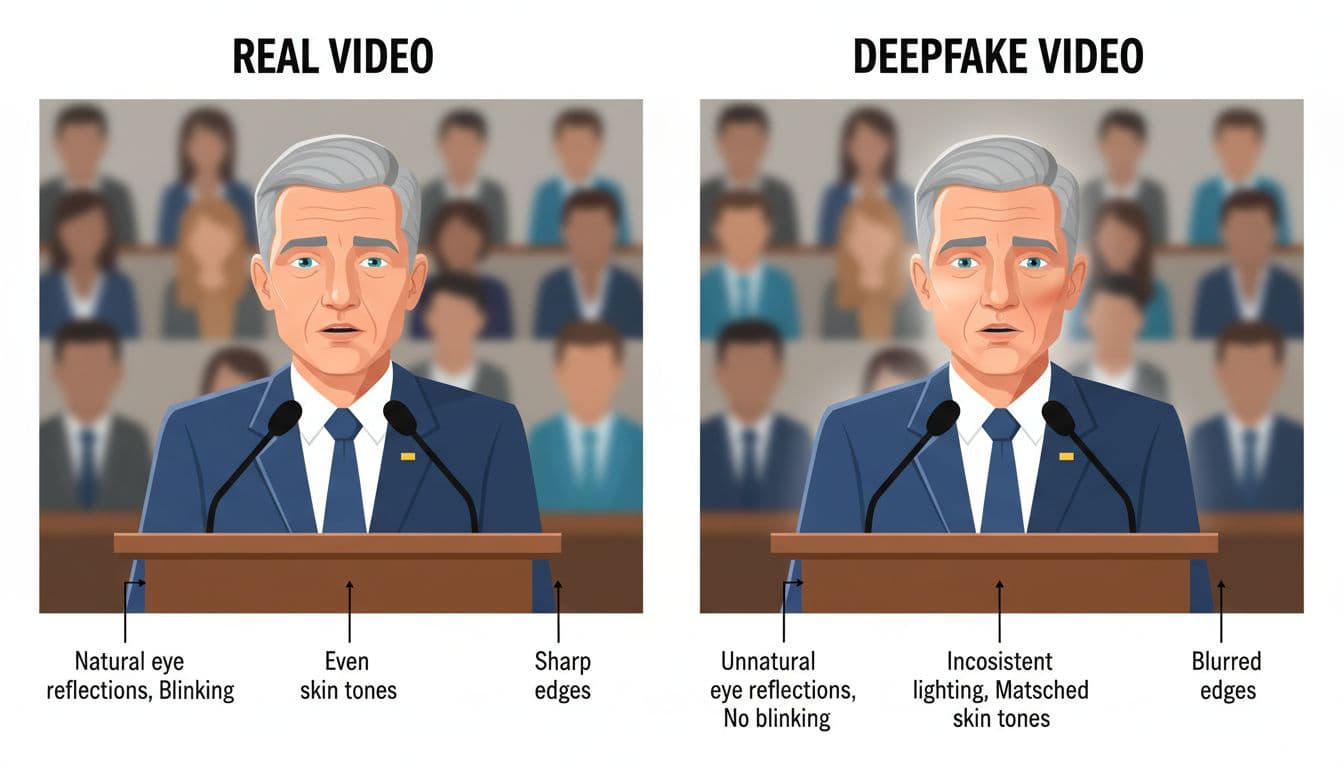
Students hear a lot of “do your own research”. That is hard when the “evidence” itself is fake.
Recent clips made with tools like OpenAI’s Sora 2 and Google’s Veo 3.1 show politicians doing wild stunts, ranting on fake phone calls, or confessing to crimes they never committed. Some are posted as jokes, others are used to push scams or stir anger.
Researchers in Science have warned that realistic deepfakes can help fuel political chaos and distrust. When people stop believing any video, it gets easier for real wrongdoing to be dismissed as “fake”.
For students, this hits at least three areas:
- Your votes and opinions can be nudged by emotional fake clips.
- Your school work can be weakened if you cite fake footage as a source.
- Your online reputation can suffer if you share harmful fakes, even by accident.
You do not need to be a tech expert. You just need a clear habit when you see political video content.
First Checks: Source, Context, And Timing
Before you zoom in on pixels, step back and look at the basics around the video.
1. Who posted it first?
If the original post is from a random meme page, a brand‑new account, or someone with a history of rage-bait, treat it like gossip. Higher-trust sources, like established newsrooms or official channels, are not perfect but are less likely to share raw unverified deepfakes.
2. When did it appear?
Deepfake political videos often drop:
- Just before elections or major votes
- Right after a big scandal or speech
- During protests or crises
If a clip appears at the perfect moment to inflame people, your guard should go up.
3. Is anyone else credible talking about it?
Open a new tab and search key words from the video: the person’s name, location, and a short quote. Check if reputable outlets or fact-checkers are covering it. Guides like this AI video spotting article from Mashable can help you learn what professionals look for.
If no trustworthy source mentions something that “huge”, it might be fake or at least misleadingly edited.
Visual Red Flags In AI-Edited Political Clips
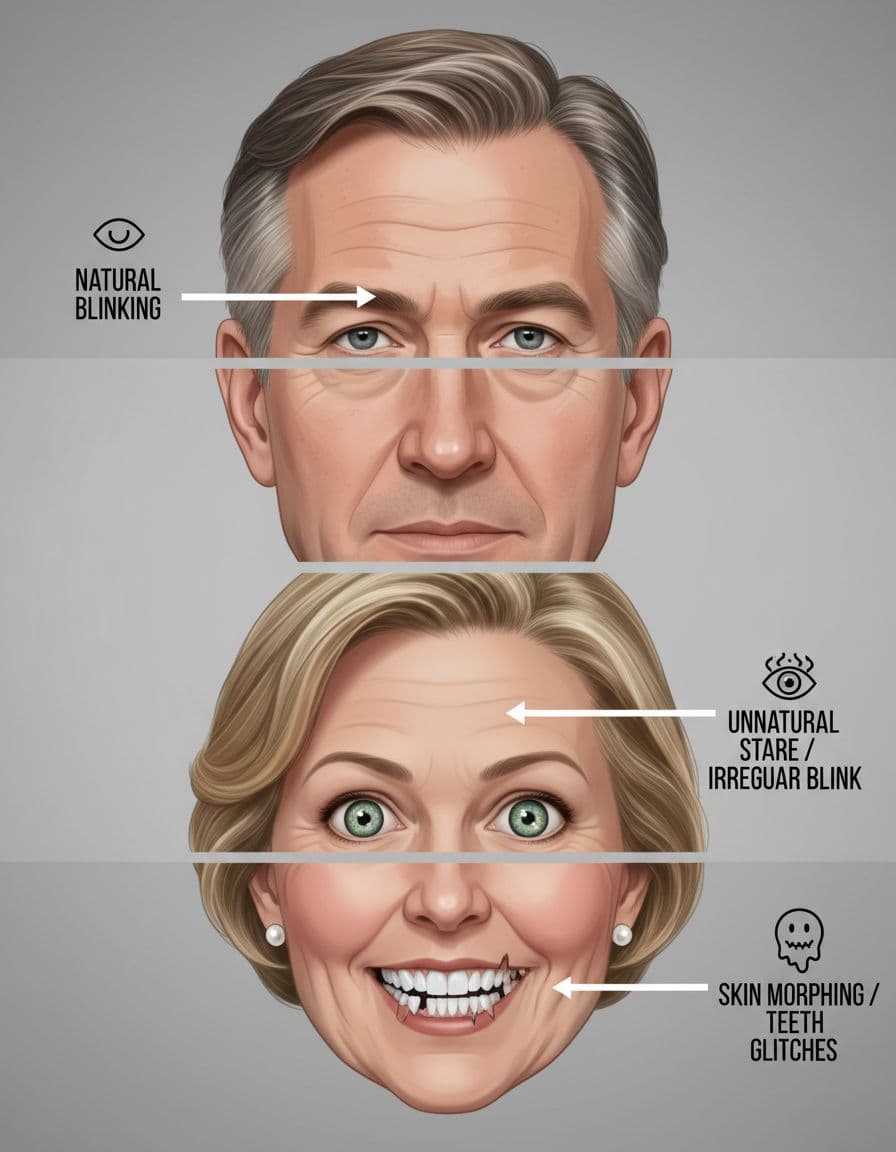
Image created with AI.
Once the context feels suspicious, look closely at the picture itself.
Common signs of AI editing and deepfakes:
- Odd blinking and eyes
The person blinks too rarely, too often, or not at all. Eye movements do not match where they should be looking. Reflections in the eyes may not suit the room lighting. - Face and neck mismatch
Skin tone changes sharply at the jawline. The face is smooth like plastic while the neck still has normal wrinkles or shadows. - Jagged edges and “melting” features
Hairlines wobble, ears shift shape, or teeth look smudged. Watch in slow motion if you can, as glitches often show frame by frame. - Lighting that does not add up
The face might be lit from the wrong side compared with the background, or there are random bright spots on skin but nowhere else.
If you want a deeper breakdown of visual tells, CNET has a useful deepfake spotter’s guide for AI-generated videos.
Audio, Speech, And Body Language Clues
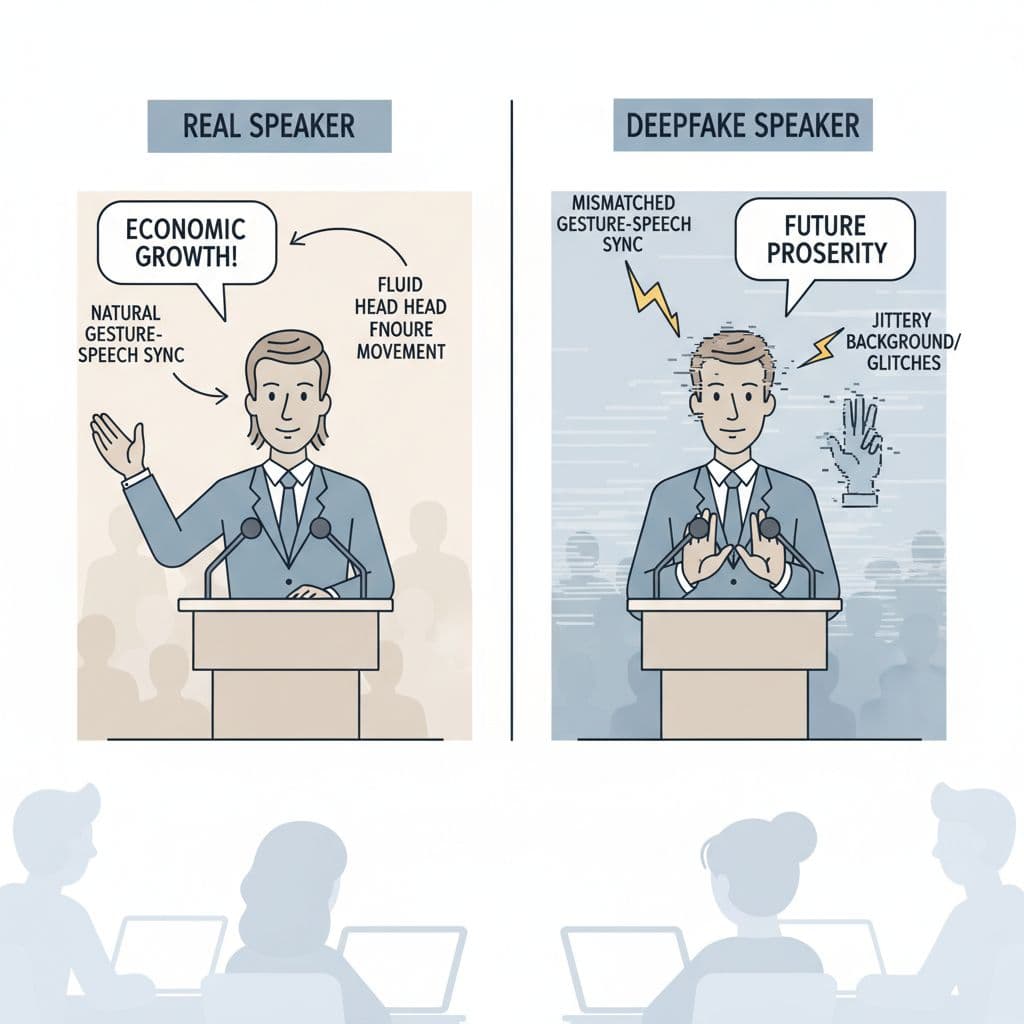
Image created with AI.
Often your ears notice problems before your eyes.
Listen for:
- Mouth and words out of sync
The lips lag behind the audio or move in the wrong shape for certain sounds. - Flat or robotic tone
The voice sounds correct at first but lacks natural breathing, mess-ups, or emotion changes. - Strange background sound
Crowd noise does not match the scene, or the room echo sounds fake and repetitive.
Watch the body too:
- Stiff hands and shoulders
In many deepfake political videos, the head moves but the body stays oddly still. - Gestures that do not fit the words
The person points, laughs, or looks shocked at random moments. - Glitches in clothes or hair
Ties flicker, hair jumps, or microphones drift in and out of place.
Researchers from places like Kellogg and MIT’s Media Lab have shown that people can improve their accuracy when they know what to look for in political deepfakes. Training your ear and eye together matters.
A Simple 60-Second Checklist Before You Share
When a political video hits your feed, run this quick mental checklist:
- Pause for 5 seconds. If you feel shocked or furious, that is exactly when deepfakes work best.
- Check the account. Old or new? Clear identity or anonymous? History of trolling?
- Scan the visuals. Face edges, blinking, lighting, and background. Any weird warping?
- Listen to the sound. Robotic tone, bad lip sync, or mismatched crowd noise.
- Search the quote. Type a short line from the video into a news search and see who else reports it.
- Look for labels. Some creators clearly say a clip is AI-made or parody. That still matters if you plan to repost.
- Decide if sharing helps anyone. If it is unverified and inflammatory, do you really need to be part of its spread?
You will not catch every fake, but this habit makes you much harder to trick.
Conclusion: Stay Curious, Not Paranoid
Deepfake political videos are not going away. The tools are getting better, and more people are using them for jokes, propaganda, and scams.
The goal is not to doubt everything. The goal is to think critically before you let one clip change your views or your vote. With a calm routine of checks, you can still enjoy your feed, stay informed, and be the friend who shares thoughtfully, not recklessly.
Talk about this with classmates, teachers, and family. The more people understand the tricks, the less power those tricks have.
Frequently Asked Questions About How To Spot AI-Edited And Deepfake Political Videos As A Student
Are all AI-edited political videos bad?
No. Some AI clips are clearly labelled as satire or art. They can be funny or thought-provoking. The problem starts when AI is used to pretend something really happened, especially during elections or crises. If a video could damage someone’s reputation or change how people vote, treat it very carefully.
How can I practise spotting deepfakes without waiting for one to appear?
You can watch known examples. Many news outlets and researchers share clear samples. For instance, Kellogg Insight discusses human accuracy in spotting political deepfakes. Compare them with real speeches on official YouTube channels. Pause, zoom, and try to list at least three visual or audio clues for each one.
What if my friends keep sharing deepfake political videos?
Start by asking questions, not attacking them. You could say, “Have you seen any fact-checks on this?” or “The lip sync looks off to me.” Share short guides, such as this AI video identification explainer from Mashable. Offer to check clips together. People are more open when they do not feel judged.
Are there tools that automatically detect deepfakes?
There are research tools and some online services that try to flag AI-generated content, but none are perfect. Creators adjust their methods to beat detectors, so you cannot rely only on tech. Think of tools as a second opinion. Your own habits around source checking, context, and visual and audio clues are still your strongest defence.