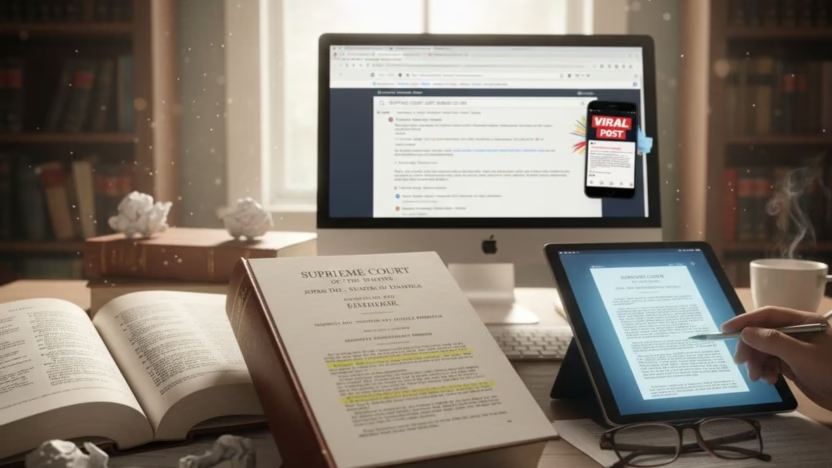
You’ve seen it: a screenshot on TikTok or X saying “BREAKING: Supreme Court just ruled…” with a dramatic claim, a shaky quote, and thousands of shares. It feels urgent, like you’re meant to react right now.
But the Supreme Court doesn’t work like a group chat. Real rulings leave a paper trail you can check in minutes, even if you’re a busy student between lectures and deadlines. The trick is knowing what to look for and where.
This guide shows you how to confirm whether a viral post is real by finding the Supreme Court docket, the opinion PDF, and the syllabus, using official sources.
Key Takeaways
- A real Supreme Court decision should match an official Supreme Court docket entry.
- The safest starting point is the Court’s own Docket Search.
- The “syllabus” is a helpful summary at the top of the opinion PDF, but it’s not the opinion itself.
- Viral posts often recycle old cases, misquote the holding, or confuse emergency orders with full opinions.
- If you can’t find the case on an official docket page, treat the post as unverified.
Why viral “Supreme Court just ruled” posts fool smart people
These posts work because they mix two things: a trusted institution and a high-emotion topic (speech, elections, immigration, student rights). It’s like seeing a book title and assuming you know the whole plot.
Common patterns include:
- Old case, new date: a 2023 decision reposted as “today”.
- A real case, fake outcome: the case exists, but the post flips who won.
- An order treated as a ruling: emergency orders are real Court actions, but they’re not the same as a full merits decision.
If you want a broader student-friendly approach to checking political claims without losing your mind, use this student guide to fact-checking political claims.
The three documents that prove the claim is real
When someone says “the Court ruled”, ask: “Where’s the paperwork?”
1) The Supreme Court docket
Think of the docket as the case’s timeline and filing cabinet. It shows key dates and documents: petitions, briefs, orders, arguments, and whether an opinion was issued.
2) The opinion
The opinion is the actual decision text, written by the Justices, with concurrences or dissents. If a viral post claims a major new rule, it should be reflected in the opinion’s holding.
3) The syllabus
The syllabus appears at the start of the slip opinion PDF. It summarises the case and the Court’s holdings in plain language, which makes it perfect for a quick check. It’s still worth confirming the claim against the actual opinion pages.
If you want a simple explanation of what the Court means by “slip opinion”, “syllabus”, and other labels, see the Court’s own table information and definitions.
Step-by-step: verify a ruling using the official Supreme Court docket
When you’re trying to check a viral claim fast, use this routine. It works even when the post gives you almost nothing.
Write down the claim in one sentence
Example: “The Supreme Court ruled that X is now illegal nationwide.”Pull out any identifiers from the post
Look for: a case name (“Someone v. Someone”), a docket number (like “23-___”), a date, or a quoted phrase.Search the official docket
Use the Supreme Court’s Docket Search.
- If you have a docket number, use it. That’s the cleanest route.
- If you only have a case name, search variations (shortened names are common).
- Open the docket page and scan for decision signals
On a real docket, you’ll usually see entries such as:
- “Opinion of the Court”
- “Judgment”
- “Order”
- A PDF link tied to the decision date
If the viral post claims a final ruling but the docket shows “petition pending” or “certiorari denied”, the post is misleading.
- Use the Court’s case documents hub when you need context
If you want to see filings beyond the opinion, the Court’s Case Documents page helps you jump into briefs and other material, which can clarify what the case is actually about.
A useful mindset: the docket is your receipt. Without it, you’re trusting vibes.
How to find the opinion PDF and use the syllabus properly
Once you’ve confirmed the case exists and a decision was issued, go to the Court’s Opinions page and locate the case for the right term.
When you open the PDF:
- Start with the syllabus: check whether the holding matches what the viral post claims.
- Check the vote and author: the opinion will show who wrote it and who joined.
- Search within the PDF (Ctrl+F): look for the exact issue in the post (for example “age verification”, “injunction”, “First Amendment”).
If reading legal writing feels like trying to revise from a textbook written in code, you’re not alone. The American Bar Association has a clear guide on how to read a U.S. Supreme Court opinion that explains the parts without assuming you’re in law school.
Fast red flags that the “ruling” is fake or twisted
Some posts fail basic checks before you even open a docket.
Watch for:
- No case name and no docket number, just “SCOTUS ruled”.
- A claim that sounds like Parliament passed a law (the Court interprets law, it doesn’t write it).
- A screenshot of text with no link, date, or source.
- A “too neat” quote that reads like a slogan.
When a rumour is spreading widely, it’s often already been reviewed by professional fact-checkers. For Supreme Court-themed rumours, scan PolitiFact’s Supreme Court fact-checks to see if the exact claim has been rated and sourced.
Also keep your logic hat on. Viral legal posts love reasoning tricks, like false dilemmas and quote-mining. This guide on common logical fallacies every student should know makes it easier to spot when a post is trying to push you into a conclusion.
How to use what you found (in essays, presentations, and group chats)
Once you’ve checked the Supreme Court docket and opened the opinion PDF, you can share the result clearly:
- Name the case and include the docket number.
- Link the official docket or opinions page.
- Quote the holding from the syllabus in your own words, then add “according to the slip opinion syllabus”.
It’s a good habit for coursework too. You’re showing source quality, not just repeating headlines.
Frequently Asked Questions About Checking Viral Supreme Court Rulings
How do I find the docket number from a viral post?
If it’s not shown, search the case name on the official Docket Search. Try short versions of names, since posts often shorten long party names.
What if I find the case, but there’s no opinion?
Then the Court probably hasn’t issued a merits decision, or the action was an order (including emergency orders). In both cases, the viral post claiming a “big ruling” is likely overstated.
Is the syllabus the official ruling?
No. The syllabus is a summary attached for convenience. It’s reliable for quick checking, but the opinion text controls.
Can the Supreme Court “rule” without a full opinion?
Yes. The Court can issue orders, including emergency decisions, without a full signed opinion. The docket will still show what happened.
What’s the quickest way to prove a post is wrong?
Ask for the case name and Supreme Court docket. If the post can’t point to a real docket entry, it’s not a verified ruling.
Conclusion
A viral “Supreme Court just ruled” post can feel like a fire alarm, but you don’t have to panic-share. Check the Supreme Court docket, open the opinion PDF, and use the syllabus to confirm what the Court actually held. Once you’ve done it a couple of times, it becomes a quick skill you can use in class, online, and anywhere facts matter.