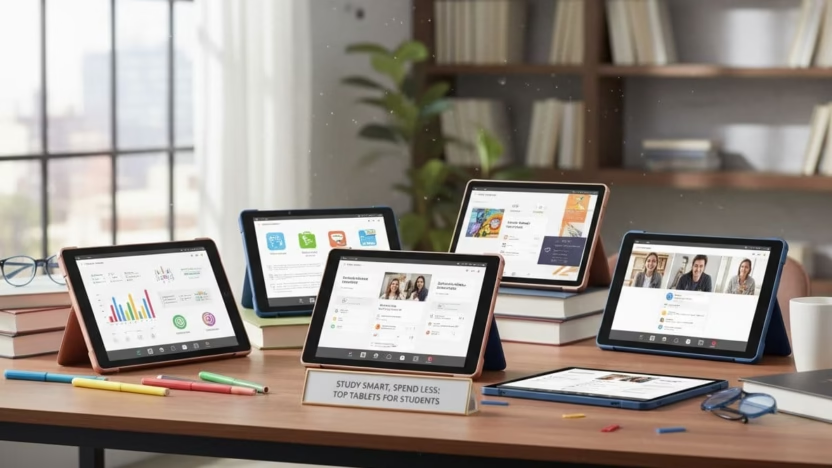
Finding the best tablets for students on a budget doesn’t mean settling for subpar performance. Today’s affordable tablets pack impressive features that can handle note-taking, research, and multimedia needs without breaking the bank. Whether you’re heading back to school or helping a student gear up for the semester, this guide will help you navigate the market for tablets that deliver excellent value without compromising on essential features.
Modern education increasingly relies on digital tools, making tablets invaluable for everything from e-textbooks and lecture recordings to research and assignments. The right budget tablet can serve as a versatile learning companion that’s more portable than a laptop yet more functional than a smartphone. We’ve researched and tested the top options to help you make an informed decision that balances cost with the features students need most.
What to Look for in a Student Tablet
Before diving into specific recommendations, let’s explore the key factors to consider when shopping for a budget-friendly tablet for educational purposes.

Tablets have become essential tools for modern education, offering portability and versatility for various study needs.
Operating System: iOS vs. Android vs. Windows
Each operating system offers distinct advantages for students:
iOS (iPad)
Apple’s iPads offer a polished, intuitive interface with excellent app quality and consistent performance. The App Store features numerous education-focused applications, though iPads typically come at a higher price point even for base models.
Android
Android tablets provide more variety in price points, with many budget-friendly options available. The Google Play Store offers a wide selection of apps, though quality can vary. Android devices often support expandable storage via microSD cards, a plus for students with lots of documents.
Windows
Windows tablets run full desktop applications, making them ideal for students who need specific software for their coursework. They often feature laptop-like functionality with detachable keyboards, though battery life may be shorter than iOS or Android alternatives.
Screen Size and Resolution
For students, screen size significantly impacts usability:
- 7-8 inches: Highly portable but may feel cramped for extensive reading or note-taking
- 9-10 inches: A good balance of portability and usability for most student tasks
- 11-13 inches: Offers more screen real estate for multitasking and detailed work, though less portable
Resolution matters too—aim for at least 1080p (Full HD) for comfortable reading and clear visuals. Higher pixel density makes text sharper and reduces eye strain during long study sessions.
Battery Life
Students need tablets that last through long days of classes without constant recharging. Look for devices that offer:
- Minimum 8-10 hours of active use
- Good standby time for between-class periods
- Fast charging capabilities for quick power-ups
Storage and Expandability
Digital textbooks, lecture recordings, and assignments can quickly fill storage space:
- 32GB: Minimum acceptable storage, suitable only for cloud-dependent workflows
- 64GB: Better for most students, allowing for more apps and files
- 128GB+: Ideal for media-heavy courses or longer-term use
Expandable storage via microSD cards provides valuable flexibility, especially for Android tablets.
Performance Requirements
A tablet’s processor and RAM determine how smoothly it handles educational tasks:
- Entry-level processors (MediaTek, basic Snapdragon): Suitable for basic note-taking, reading, and web browsing
- Mid-range processors (newer Snapdragon, Apple A-series): Better for multitasking and more demanding applications
- RAM: 3GB minimum, 4GB recommended, 6GB+ ideal for heavy multitasking
Stylus and Keyboard Compatibility
For many students, accessories transform a tablet’s functionality:
- Stylus support: Essential for handwritten notes, annotations, and drawing
- Keyboard compatibility: Turns a tablet into a lightweight laptop alternative for typing assignments
Check whether these accessories are included, available separately, or if third-party options work well with your chosen tablet.
Durability and Warranty
Student life can be tough on devices. Consider:
- Build quality: Metal bodies typically offer better durability than plastic
- Screen protection: Gorilla Glass or similar technologies resist scratches
- Warranty options: Some manufacturers offer student-specific or extended coverage
- Water/dust resistance: Provides protection against accidental spills
Budget Range
For this guide, we define “budget” tablets for students as devices priced between $150-$350, with some exceptional values slightly above or below this range. This price bracket offers the best balance of affordability and functionality for educational use.
Best Budget Tablets for Students in 2025
After extensive testing and research, we’ve identified the top budget-friendly tablets that deliver excellent performance for student needs. Each recommendation balances affordability with features that enhance the learning experience.

Apple iPad (10th Generation) – Best Overall Value

The 10th-generation iPad strikes an impressive balance between performance and affordability, making it our top recommendation for students on a budget. While it sits at the higher end of our budget range, its longevity and ecosystem make it a worthwhile investment.
Key Specifications:
- Display: 10.9-inch Liquid Retina display (2360 x 1640)
- Processor: A14 Bionic chip
- Storage: 64GB or 256GB
- Battery Life: Up to 10 hours
- Operating System: iPadOS
- Weight: 1.05 pounds
Pros
- Excellent performance for all student tasks
- High-quality display for reading and media
- USB-C port for modern connectivity
- Long-term software support (5+ years)
- Extensive app ecosystem for education
Cons
- Higher initial investment
- Apple Pencil and keyboard sold separately
- No expandable storage
- First-gen Apple Pencil requires adapter
The iPad excels at virtually every task students need, from note-taking and research to media consumption and creative work. Its performance remains smooth even with multiple apps running, and the battery easily lasts through a full day of classes. The educational app selection is unmatched, with specialized tools for every subject area.
For students who take handwritten notes, adding an Apple Pencil transforms this tablet into an excellent digital notebook. The Magic Keyboard Folio (sold separately) provides a laptop-like experience for typing assignments.
Ideal for: Students who want a versatile, long-lasting device that can handle everything from basic note-taking to media-heavy coursework and creative projects.
Samsung Galaxy Tab S9 FE – Best Android Option

Samsung’s Galaxy Tab S9 FE offers premium features at a mid-range price point, making it an excellent Android alternative for students. The included S Pen stylus adds significant value, especially for those who take handwritten notes.
Key Specifications:
- Display: 10.9-inch LCD (2304 x 1440)
- Processor: Exynos 1380
- Storage: 128GB (expandable via microSD)
- RAM: 6GB or 8GB
- Battery Life: Up to 12 hours
- Operating System: Android 13
- Weight: 1.1 pounds
Pros
- S Pen included in the box
- Expandable storage via microSD
- Excellent multitasking features with DeX mode
- IP68 water and dust resistance
- Vibrant display with 90Hz refresh rate
Cons
- Occasional performance hiccups with heavy multitasking
- Android tablet apps sometimes less optimized than iPad equivalents
- Keyboard cover sold separately
The Galaxy Tab S9 FE shines for students who prefer the Android ecosystem or need features like expandable storage. The included S Pen is pressure-sensitive and requires no charging, making it perfect for taking notes, annotating PDFs, or creating diagrams.
Samsung’s DeX mode transforms the tablet interface into a desktop-like experience, which is particularly useful when writing papers or working with multiple sources. The tablet’s durability is another standout feature—its IP68 rating provides peace of mind against accidental spills or dust exposure.
Ideal for: Students who prefer Android, need expandable storage, or want an included stylus for note-taking without additional expense.
Lenovo Tab P12 – Best Large Screen Option

For students who need more screen real estate for multitasking or detailed work, the Lenovo Tab P12 offers a spacious 12.7-inch display while still maintaining a reasonable price point. This larger tablet is particularly well-suited for digital textbooks, complex diagrams, and split-screen productivity.
Key Specifications:
- Display: 12.7-inch 3K LCD (2944 x 1840)
- Processor: MediaTek Dimensity 7050
- Storage: 128GB (expandable via microSD)
- RAM: 8GB
- Battery Life: Up to 10 hours
- Operating System: Android 13
- Weight: 1.38 pounds
Pros
- Large, high-resolution display ideal for textbooks
- Excellent performance for multitasking
- Quad speakers with Dolby Atmos support
- Expandable storage
- Optional stylus and keyboard accessories
Cons
- Less portable than smaller tablets
- Battery life could be better given the size
- Accessories add significant cost
- Utilitarian design
The Tab P12’s standout feature is its expansive display, which makes reading digital textbooks and working with detailed content much more comfortable. The high resolution ensures text remains crisp and legible even when viewing complex diagrams or spreadsheets.
Performance is smooth for most educational tasks, with the 8GB of RAM providing ample headroom for multitasking. The quad-speaker setup delivers impressive audio quality for video lectures or media consumption.
While the optional Lenovo Tab Pen Plus stylus ($50) and keyboard case ($130) add to the cost, they transform this tablet into a capable laptop alternative for students who need to type assignments or take handwritten notes.
Ideal for: Students who prioritize screen size for digital textbooks, detailed diagrams, or split-screen multitasking, particularly in fields like engineering, architecture, or design.
OnePlus Pad Lite – Best Value Android Tablet

The OnePlus Pad Lite delivers impressive features at a budget-friendly price point, making it one of the best values in the Android tablet market. Its combination of a large display, long battery life, and clean software experience makes it ideal for students.
Key Specifications:
- Display: 11-inch LCD (1900 x 2800), 90Hz
- Processor: MediaTek Helio G100
- Storage: 128GB
- RAM: 6GB
- Battery Life: Up to 11 hours video, 80 hours music
- Operating System: OxygenOS 15.0.1 (Android 14)
- Weight: 1.17 pounds
Pros
- Excellent battery life, especially on standby
- Clean, bloat-free Android experience
- Smooth 90Hz display
- Solid metal construction
- Four years of Android updates promised
Cons
- Modest processor struggles with demanding tasks
- No expandable storage
- Average cameras
- No official stylus support
The OnePlus Pad Lite stands out for its exceptional battery efficiency—it can go a week between charges with light use, making it perfect for students who might forget their charger. The 90Hz refresh rate makes scrolling through documents and websites noticeably smoother than standard 60Hz displays.
OnePlus’s clean approach to Android means there’s minimal bloatware to slow down performance, and the promised four years of updates ensures the tablet will remain useful throughout a student’s academic career. The quad-speaker setup provides good audio quality for video lectures and entertainment.
While the MediaTek processor handles basic tasks smoothly, it may struggle with more demanding applications or heavy multitasking. For most student needs—note-taking, research, reading, and media consumption—it performs admirably.
Ideal for: Budget-conscious students who want a reliable Android tablet with great battery life for everyday academic tasks and media consumption.
Amazon Fire Max 11 – Best Ultra-Budget Option

The Amazon Fire Max 11 offers remarkable value for students on the tightest budgets. While Amazon’s Fire OS has some limitations compared to full Android tablets, the hardware quality and price point make this an excellent option for basic student needs.
Key Specifications:
- Display: 11-inch Full HD (1920 x 1200)
- Processor: MediaTek MT8188J
- Storage: 64GB or 128GB (expandable via microSD)
- RAM: 4GB
- Battery Life: Up to 14 hours
- Operating System: Fire OS (based on Android)
- Weight: 1.1 pounds
Pros
- Exceptional value during sales (often under $150)
- Solid aluminum construction
- Good display for the price
- Expandable storage
- Fingerprint sensor for security
Cons
- No Google Play Store (workarounds available)
- Limited app selection in Amazon Appstore
- Ad-supported unless you pay extra
- Optional stylus and keyboard are basic
The Fire Max 11 surprises with its premium build quality and decent performance at an ultra-budget price point. The aluminum unibody design feels more expensive than it is, and the Full HD display is sharp enough for comfortable reading and video watching.
Amazon frequently discounts this tablet during sales events like Prime Day and Black Friday, often bringing the price down to around $150—an exceptional value for the hardware quality. The battery life is impressive, easily lasting through a full day of classes.
The main limitation is Fire OS, which doesn’t include Google services by default. However, many educational apps are available in Amazon’s Appstore, and there are workarounds to install Google Play for those who need specific applications.
Ideal for: Students on very tight budgets who primarily need a tablet for reading, basic note-taking, web browsing, and media consumption.
Apple iPad Mini (7th Generation) – Best Portable Option

For students who prioritize portability above all else, the iPad Mini offers premium performance in a compact package. Its 8.3-inch display strikes a balance between screen real estate and extreme portability, making it ideal for on-the-go studying.
Key Specifications:
- Display: 8.3-inch Liquid Retina (2266 x 1488)
- Processor: A17 Pro chip
- Storage: 128GB or 256GB
- Battery Life: Up to 10 hours
- Operating System: iPadOS
- Weight: 0.65 pounds
Pros
- Ultra-portable design fits in small bags
- Powerful A17 Pro processor handles any student task
- Apple Pencil Pro support for note-taking
- USB-C connectivity
- Long-term software support
Cons
- Higher price for the size
- Screen may feel small for textbooks or split-screen work
- No compatible keyboard case from Apple
- Apple Pencil sold separately
The iPad Mini’s standout feature is its combination of portability and power. At just 0.65 pounds, it’s significantly lighter than other tablets, making it perfect for students who are constantly moving between classes or studying in tight spaces like coffee shops or library carrels.
Despite its small size, the A17 Pro processor provides flagship-level performance that easily handles any educational app or multitasking scenario. The Liquid Retina display offers excellent color accuracy and sharpness, though the smaller screen size may require more scrolling when reading textbooks or working with large documents.
While Apple doesn’t offer an official keyboard case for the Mini, it works well with Bluetooth keyboards for typing assignments. The Apple Pencil Pro support makes it an excellent digital notebook for handwritten notes and annotations.
Ideal for: Students who prioritize extreme portability without sacrificing performance, particularly those who take handwritten notes or need a device that fits in smaller bags.
Comparison: Best Budget Tablets for Students
To help you quickly compare the key features of our recommended tablets, we’ve created this comprehensive comparison table.
| Tablet | Price Range | Display | Processor | Storage | Battery Life | Weight | Best For |
| Apple iPad (10th Gen) | $349-$399 | 10.9″ Liquid Retina | A14 Bionic | 64GB/256GB | 10 hours | 1.05 lbs | All-around use |
| Samsung Galaxy Tab S9 FE | $299-$349 | 10.9″ LCD | Exynos 1380 | 128GB (expandable) | 12 hours | 1.1 lbs | Note-taking |
| Lenovo Tab P12 | $280-$330 | 12.7″ 3K LCD | MediaTek Dimensity 7050 | 128GB (expandable) | 10 hours | 1.38 lbs | Digital textbooks |
| OnePlus Pad Lite | $250-$300 | 11″ LCD, 90Hz | MediaTek Helio G100 | 128GB | 11 hours | 1.17 lbs | Battery efficiency |
| Amazon Fire Max 11 | $150-$190 | 11″ Full HD | MediaTek MT8188J | 64GB/128GB (expandable) | 14 hours | 1.1 lbs | Budget option |
| iPad Mini (7th Gen) | $399-$449 | 8.3″ Liquid Retina | A17 Pro | 128GB/256GB | 10 hours | 0.65 lbs | Portability |

Tablets with stylus support transform digital note-taking, allowing students to capture handwritten notes and diagrams efficiently.
Maximizing Your Tablet for Academic Success
Once you’ve selected the right budget tablet, these tips will help you get the most out of your device for educational purposes.
Essential Educational Apps for Students

Note-Taking & Organization
- OneNote: Microsoft’s versatile note-taking app with excellent organization features
- Notion: All-in-one workspace for notes, tasks, and projects
- GoodNotes: Premium note-taking app with excellent handwriting recognition (iOS)
- Evernote: Cross-platform note organization with web clipping
Study & Research
- Quizlet: Flashcards and study tools for memorization
- Mendeley: Research paper organization and PDF annotation
- Forest: Focus timer that helps limit distractions
- Khan Academy: Free educational content across subjects
Productivity & Collaboration
- Microsoft Office/Google Workspace: Essential document editing
- Trello/Asana: Project management for group work
- Zoom/Microsoft Teams: Video conferencing for remote classes
- Dropbox/Google Drive: Cloud storage for assignments
Essential Accessories for Student Tablets
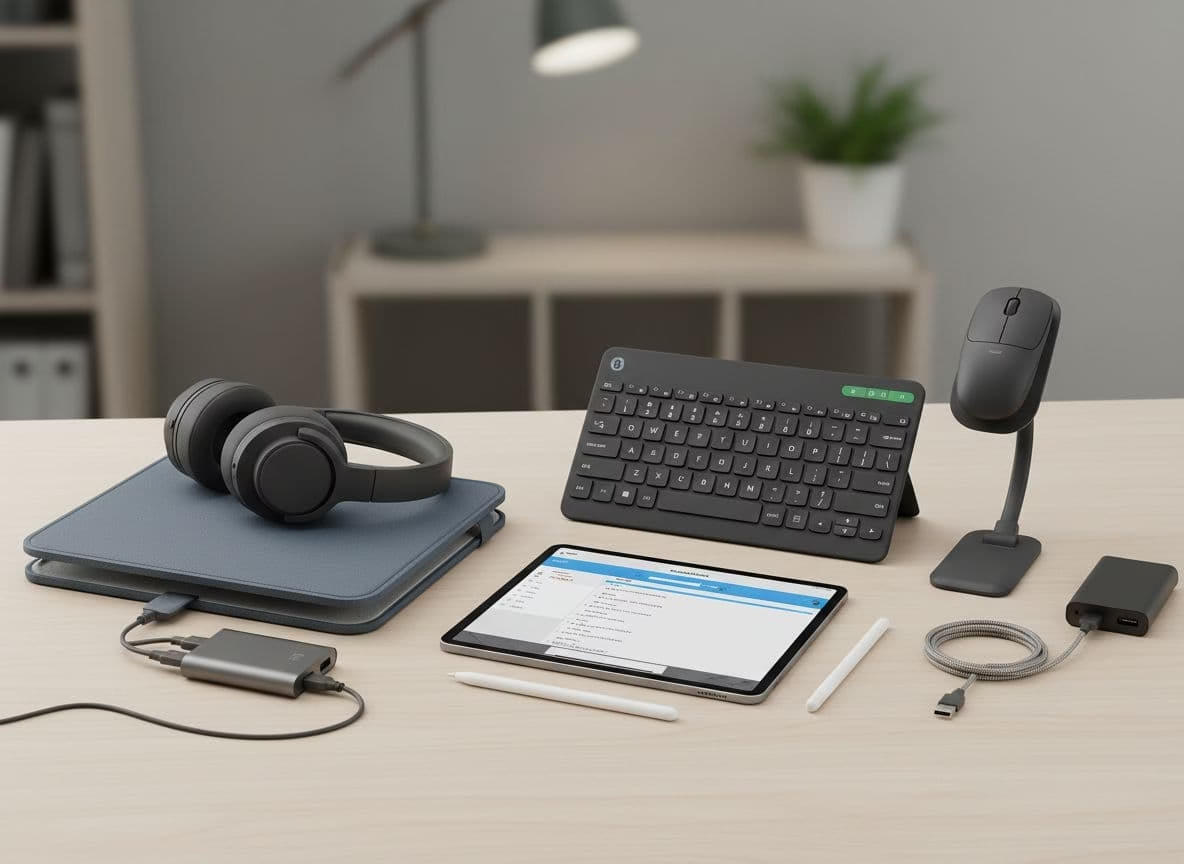
Protection & Portability
- Protective Case: Invest in a durable case that can withstand daily transport in a backpack
- Screen Protector: Tempered glass protectors prevent scratches and reduce glare
- Tablet Sleeve: Additional protection when carrying between classes
Input & Productivity
- Stylus: Essential for handwritten notes and annotations
- Bluetooth Keyboard: Transforms your tablet into a lightweight laptop alternative
- USB-C Hub: Expands connectivity options for external devices
Power & Positioning
- Portable Power Bank: Extends battery life during long days
- Tablet Stand: Improves ergonomics for extended study sessions
- Multi-angle Case: Provides various viewing positions for different tasks
Student Discount Tip
Many manufacturers offer education discounts that can save you 10-20% on tablets and accessories. Always check for student pricing through:
- Apple Education Store
- Samsung Education Offers
- Lenovo Student Store
- Amazon Prime Student
Most require verification through a .edu email address or student ID verification service.
Maintenance and Care Tips
Extend your tablet’s lifespan with these essential maintenance practices:
Daily Care
- Clean the screen regularly with a microfiber cloth
- Avoid extreme temperatures that can damage the battery
- Use a case when transporting your tablet
- Keep liquids away from your device
- Maintain 20-80% battery level when possible for optimal battery health
Long-Term Maintenance
- Update your operating system regularly for security and performance
- Clear cache files periodically to free up storage
- Uninstall unused apps to improve performance
- Back up important documents to cloud storage
- Consider a protection plan for expensive models
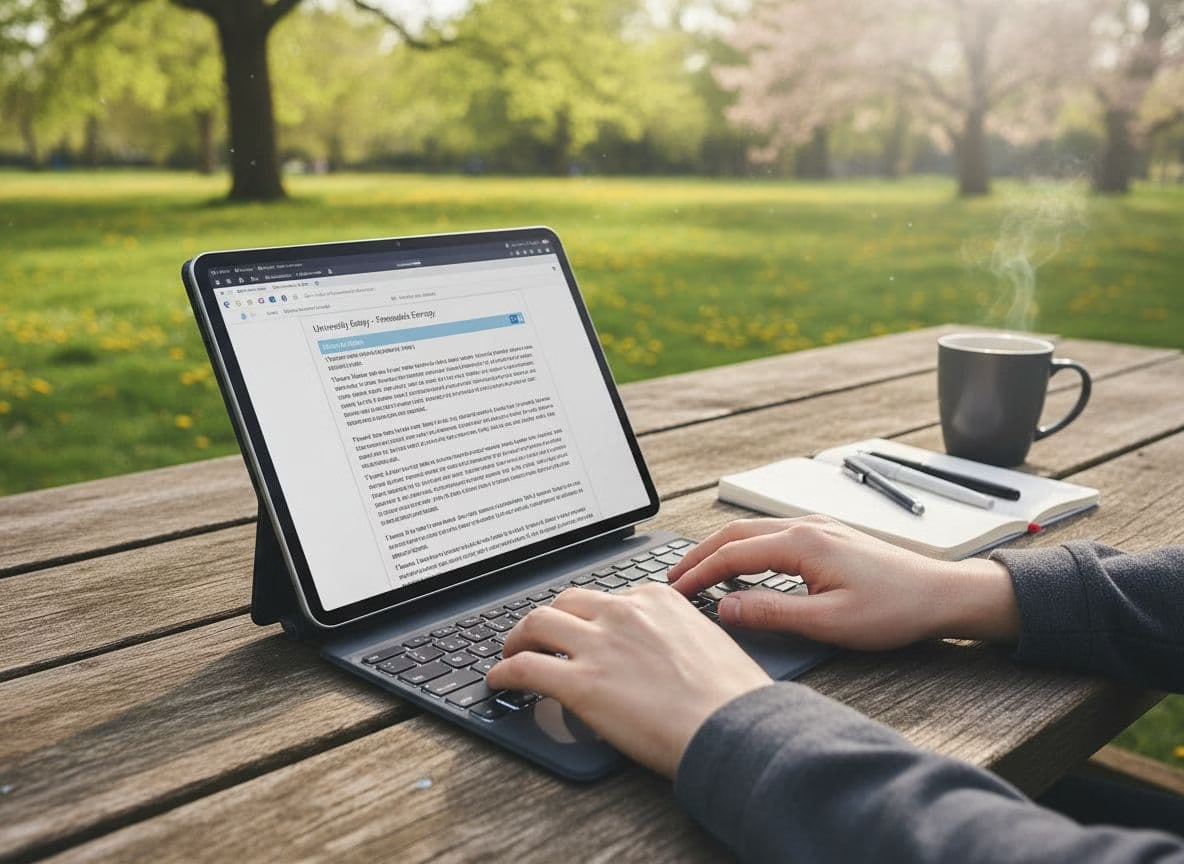
A keyboard attachment transforms a tablet into a lightweight laptop alternative, perfect for typing assignments in any location.
Frequently Asked Questions
Can a tablet completely replace a laptop for college?
It depends on your major and specific needs. For many humanities and social science students, a tablet with a keyboard can handle most tasks like note-taking, research, and writing papers. However, students in fields requiring specialized software (engineering, graphic design, computer science) may find tablets limiting. Consider a tablet as a primary device if your coursework involves mainly reading, writing, and basic research, but keep in mind that some advanced functions may still require a laptop or desktop computer.
Is 64GB storage enough for a student tablet?
For many students, 64GB can be sufficient if you leverage cloud storage services like Google Drive, Dropbox, or OneDrive for document storage. However, if you plan to download numerous apps, store media files, or keep large textbooks locally, you may quickly run out of space. If choosing a 64GB model, look for tablets with expandable storage via microSD card or consider models with 128GB for greater flexibility. Remember that operating systems typically consume 10-15GB of the advertised storage capacity.
Are stylus pens worth the extra investment?
For many students, a stylus is one of the most valuable tablet accessories. It transforms your tablet into a digital notebook, allowing you to take handwritten notes, annotate PDFs, draw diagrams, and create mind maps. Studies suggest that handwriting notes improves information retention compared to typing. If your studies involve mathematics, sciences, art, or any subject with visual elements, a stylus becomes particularly valuable. Look for tablets that either include a stylus (like Samsung’s S Pen) or have good third-party options available.
How important is processor speed for a student tablet?
For most student tasks—note-taking, reading, browsing, and streaming video—even budget processors provide adequate performance. Where you’ll notice differences is in multitasking (running multiple apps simultaneously), more demanding applications like video editing, or when using split-screen features. Mid-range processors like Apple’s A14 Bionic or Qualcomm’s Snapdragon 7 series offer a good balance of performance and battery efficiency for student needs. RAM is often more important than raw processor speed—look for at least 4GB for smooth multitasking.
How can I protect my investment in a tablet?
To protect your tablet investment: 1) Always use a quality case and screen protector; 2) Consider extended warranty options, especially for higher-priced models; 3) Set up device tracking software in case of loss or theft; 4) Back up your data regularly to cloud services; 5) Invest in a padded sleeve for additional protection during transport. Some credit cards offer extended warranty protection when you purchase electronics, so check your card benefits as well.
Conclusion: Finding Your Perfect Student Tablet
Finding the best tablet for students on a budget requires balancing price with the features that matter most for academic success. Our top recommendations offer excellent value while meeting diverse student needs:
- Best Overall Value: The Apple iPad (10th Generation) offers the best combination of performance, app ecosystem, and longevity, making it worth the higher initial investment for most students.
- Best Android Option: Samsung Galaxy Tab S9 FE delivers premium features including the included S Pen stylus and excellent multitasking capabilities.
- Best Budget Pick: The Amazon Fire Max 11 provides remarkable hardware quality at an ultra-budget price point, perfect for basic student needs.
- Best for Portability: The iPad Mini combines flagship performance with extreme portability for students constantly on the move.
- Best for Digital Textbooks: Lenovo Tab P12’s large, high-resolution display makes it ideal for reading and detailed content.
Remember that the best tablet is the one that fits your specific academic needs and budget. Consider how you’ll primarily use the device—note-taking, reading textbooks, creating content, or multimedia consumption—and prioritize features accordingly. With the right tablet and accessories, you’ll have a versatile tool that enhances your learning experience without breaking the bank.
Ready to Upgrade Your Study Setup?
Check current prices and student discounts on our top recommended tablets to find the perfect balance of features and affordability for your academic needs. Browse Student Tablet Deals