
Did you know that learning assembly language can boost your programming skills? Even though high-level programming languages are common, assembly language offers a deeper look at computer architecture.
By mastering assembly language after using high-level programming, developers can make their code run better. It shows how computers follow instructions, making it a key skill for programmers.
Key Takeaways
- Understanding assembly language improves programming skills.
- Assembly language provides insight into computer architecture.
- Mastering assembly language enhances code optimisation.
- It is beneficial for developing large programmes.
- Assembly language is a text representation of machine code.
Table of Contents
- Why High-Level Programmers Should Learn Assembly Language
- Understanding the Mindset Shift from High-Level to Low-Level Programming
- Choosing Your First Assembly Architecture
- Step 1: Master Computer Architecture Fundamentals
- Step 2: Learn Assembly Language Basics Through Structured Tutorials
- Step 3: Set Up Your Assembly Programming Environment
- Step 4: Practice with Hands-On Assembly Programming Projects
- Overcoming Common Challenges When Learning Assembly
- Conclusion
Why High-Level Programmers Should Learn Assembly Language
Learning assembly language helps high-level programmers understand computer architecture better. This knowledge lets them write more efficient code. It also shows them the complexity of the tool chain.
Knowing assembly language basics boosts a programmer’s skills, mainly in creating algorithms. They learn how high-level code turns into assembly. This helps them make better coding choices.

Learning assembly language also means getting a deeper grasp of computer architecture. This knowledge helps programmers optimise their code for specific hardware. This leads to better performance.
Here is a comparison of the skills gained by learning assembly language:
| Skill | Description | Benefit |
|---|---|---|
| Understanding of Computer Architecture | Knowledge of how hardware components interact | Improved code optimisation |
| Algorithm Development | Ability to write efficient algorithms | Better performance |
| Low-Level Programming | Direct access to hardware resources | Increased control |
By adding assembly programming tutorials to their learning, high-level programmers get a deeper understanding of programming. This improves their coding skills overall.
Understanding the Mindset Shift from High-Level to Low-Level Programming
To master assembly language, programmers need to change how they think. They move from high-level ideas to detailed, low-level operations. This means getting into the nitty-gritty of computer architecture and programming with precision.
Key Differences Between Abstraction Layers
High-level programming languages hide many details. This lets developers focus on the program’s logic without worrying about the hardware. But, assembly language programming dives deep into the computer’s architecture. It involves understanding registers, instruction sets, and memory management.
Abstraction Layers:
- High-level languages: Focus on program logic, abstract away hardware details
- Assembly language: Directly interacts with hardware components, requiring knowledge of registers and instruction sets

Leveraging Your Existing Programming Knowledge
Programmers who know high-level languages can use this knowledge to learn assembly language faster. They can apply their understanding of variables, control structures, and functions. But, they’ll need to learn a new syntax and manage hardware more directly.
| High-Level Language Concept | Assembly Language Equivalent |
|---|---|
| Variables | Registers or Memory Locations |
| Control Structures (if-else, loops) | Conditional Jumps and Branching Instructions |
| Functions | Subroutines with Specific Calling Conventions |
Adjusting Your Problem-Solving Approach
Assembly language programming needs a more detailed problem-solving approach. Programmers must think about the hardware’s capabilities and limits. They need to optimize code for performance and memory use. This means moving from high-level thinking to understanding how the computer works at a low level.
By understanding these differences and changing their mindset, programmers can move from high-level languages to assembly language. This improves their skills in advanced assembly programming and gives them a deeper understanding of computer architecture.
Choosing Your First Assembly Architecture
Starting with assembly language programming means picking an architecture first. This choice affects how easy it is to learn and how useful your skills will be.
The main assembly architectures today are x86-64, ARM, and RISC-V. Each has its own strengths and areas where it’s best used.
x86-64 Assembly: Industry Standard for Desktop and Server
The x86-64 architecture is an update of the original x86. It’s made by Intel and used by AMD. It’s common in desktops and servers because it works well with lots of software.
Key Features of x86-64:
- Works with older x86 systems
- Handles 64-bit tasks
- Uses complex instructions
ARM Assembly: Dominant in Mobile and Embedded Devices
ARM is famous for saving power and is in most mobile and embedded systems. It’s a RISC design, which means it’s simpler and more efficient.
Key Features of ARM:
- Uses less power
- Simple instruction set
- Popular in mobile and IoT
RISC-V: The Open-Source Alternative for Learning
RISC-V is an open-source architecture that’s easy to learn and use. It’s free and can be changed by anyone. This makes it great for learning and custom projects.
Key Features of RISC-V:
- Free and open-source
- Simple design
- Can be customized
Here’s a quick look at how the three architectures compare:
| Architecture | Instruction Set | Primary Use | Licensing |
|---|---|---|---|
| x86-64 | CISC | Desktop, Servers | Proprietary |
| ARM | RISC | Mobile, Embedded | Proprietary |
| RISC-V | RISC | Education, Custom | Open-source |

For those looking into assembly language online classes or assembly language resources, knowing these architectures is key. Whether you choose x86-64 for its wide use, ARM for mobile devices, or RISC-V for its openness, each offers a unique learning path.
Step 1: Master Computer Architecture Fundamentals
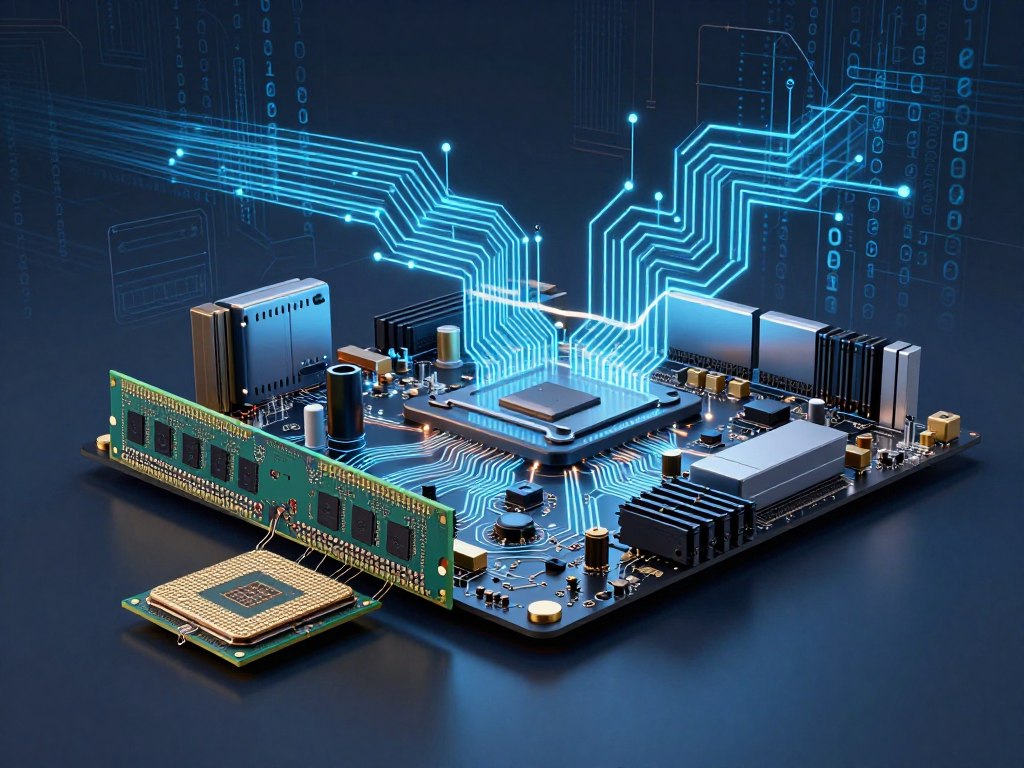
Learning about computer architecture is key to getting good at assembly language programming. It’s important to know how the computer’s parts work together. This knowledge helps in writing better assembly code.
Understanding Registers, Flags, and the Instruction Pointer
Registers are small parts of the CPU’s memory that hold data temporarily. Flags show the outcome of operations, like if a result is zero. The instruction pointer keeps track of the current instruction being run.
For example, when doing math, the CPU might set a flag to show if the result is zero. This flag can then guide the program’s flow.
Memory Addressing Modes and Segmentation
Memory addressing modes show how the CPU gets data from memory. There are immediate, register, and indirect modes. Knowing these is vital for making efficient assembly code.
Segmentation splits memory into segments with their own addresses and limits. It stops programs from going out of bounds.
| Addressing Mode | Description | Example |
|---|---|---|
| Immediate | Data is provided directly in the instruction | MOV AX, 10 |
| Register | Data is stored in a register | MOV AX, BX |
| Indirect | Data is accessed through a register or memory location | MOV AX, [BX] |
Stack Operations and Calling Conventions
The stack is a memory area for temporary data, following the LIFO principle. Stack operations like push and pop manage data on the stack.
Calling conventions explain how functions are called and how data is passed between them. Knowing these is essential for working with assembly code and other languages.
Cache Hierarchy and Performance Implications
The cache hierarchy includes different levels of cache memory for fast data access. Understanding cache behavior and optimizing code for it is vital for performance in assembly programming.
By grasping computer architecture basics, programmers can craft more efficient assembly code. This makes their programs run faster and more reliably.
Step 2: Learn Assembly Language Basics Through Structured Tutorials
To get good at assembly language, start with the basics. This is the first step. It helps you understand more complex ideas later on. Tutorials guide you, making sure you learn the basics of assembly language.
Essential Instruction Sets: MOV, ADD, SUB, and Comparisons
First, learn the key instructions. These are MOV for moving data, ADD and SUB for math, and comparison instructions for making choices.
| Instruction | Description | Example |
|---|---|---|
| MOV | Move data from one register to another | MOV AX, 10 |
| ADD | Add two values | ADD AX, 5 |
| SUB | Subtract one value from another | SUB AX, 3 |
| CMP | Compare two values | CMP AX, 10 |
Implementing Conditional Logic with Jumps and Branches
Conditional logic is key in programming. It lets you choose different paths based on conditions. In assembly, this is done with jump instructions like JMP, JE, and JNE.
- JMP: Unconditional jump
- JE: Jump if equal
- JNE: Jump if not equal
Creating Loops and Iteration Structures
Loops are important for doing things over and over. Assembly language has different loop types. For example, a simple loop uses a counter and a jump.
- Start with a counter
- Do something in the loop
- Decrease the counter
- Jump back if the counter is not zero
Function Calls, Stack Frames, and Return Values
Functions are vital for breaking down code. In assembly, they use CALL and RET. The stack helps pass arguments and store local data, making each function call unique.
Knowing these basics is essential for improving in assembly language. By learning key instructions, logic, loops, and functions, you can write efficient code.
Step 3: Set Up Your Assembly Programming Environment
Setting up your assembly programming environment is key to mastering assembly language. It involves several important components. These components help you write, debug, and test your code effectively.
Selecting and Installing an Assembler: NASM, MASM, or GAS
Choosing an assembler is the first step. Popular choices are NASM (Netwide Assembler), MASM (Microsoft Macro Assembler), and GAS (GNU Assembler). NASM is simple and works on many platforms. MASM is great for Windows, and GAS is a favourite among Linux users.
To install an assembler, download it from its website or use a package manager. For example, to install NASM on Ubuntu, use sudo apt-get install nasm.
Configuring Debuggers: GDB, LLDB, and Integrated Options
A debugger is essential for assembly programming. It lets you step through code and debug issues. GDB (GNU Debugger) and LLDB are top choices. Many IDEs also have integrated debugging tools for assembly projects.
To use GDB for assembly debugging, try commands like layout asm and info registers. Getting to know these tools will make debugging easier.
Using Disassemblers to Study Existing Code
Disassemblers help you learn assembly by showing how compilers translate code. Tools like IDA Pro and objdump disassemble binaries. This lets you see how assembly code is made.
For example, objdump -d on a binary gives a disassembly listing. You can then analyse it to learn about optimisation and code implementation.
Integrating Assembly with High-Level Languages
Assembly language can be used with high-level languages like C or C++. This lets you optimise critical code sections. Most compilers support inline assembly or linking assembly modules.
For example, GCC uses the asm keyword for inline assembly. Knowing how to use assembly with high-level code boosts your programming skills.
Step 4: Practice with Hands-On Assembly Programming Projects
Working on assembly programming projects deepens your grasp of coding techniques and assembly language. Real-world projects help solidify your learning and build essential skills. These skills are key to mastering assembly language.
Converting Simple Algorithms from High-Level Code
Practising assembly programming by converting simple algorithms is effective. Start with algorithms like sorting or searching. Then, translate the code into assembly, focusing on register use and memory addressing.
- Begin with simple algorithms like sorting or searching.
- Convert the code into assembly, paying attention to register and memory use.
- Test your code to check if it works as expected.
Writing System Calls for File and Console Operations
System calls are key in assembly language programming. They let you interact with the operating system for file and console operations. Practising these calls helps you learn efficient input/output operations.
| Operation | System Call | Description |
|---|---|---|
| Read from file | read() | Reads data from a file descriptor. |
| Write to console | write() | Writes data to the console or a file descriptor. |
| Open file | open() | Opens a file and returns a file descriptor. |
Optimising Performance-Critical Functions
Improving performance in critical functions is vital. It requires understanding the architecture and applying techniques like loop unrolling and instruction reordering.
- Find the slow parts of your code.
- Use optimisation techniques to speed it up.
- Check how much faster it is now.
Reverse Engineering Compiled Programmes
Learning to reverse engineer compiled programmes is valuable. It involves disassembling and analysing code to grasp its function. This skill can teach you new techniques and show how compilers work.
By doing these projects, you’ll get a better grasp of assembly language. Start with simple tasks and move to harder ones as you get more confident and skilled.
Overcoming Common Challenges When Learning Assembly
Learning assembly language is more than just knowing its syntax. It’s about tackling several common challenges. As you learn, you’ll face obstacles. But with the right strategies and mindset, you can overcome them.
Debugging Segmentation Faults and Memory Errors
Debugging segmentation faults and memory errors is a big challenge in assembly language. These problems often come from wrong memory addressing or bad register use. To tackle these issues, it’s key to:
- Use a debugger like GDB or LLDB to step through your code and check register values.
- Learn about memory segmentation and how to access memory correctly.
- Focus on stack operations and make sure your stack pointer is managed right.
Managing Code Complexity Without High-Level Abstractions
Assembly language lacks the high-level abstractions of languages like C or Python. This makes it harder to handle complex code. To deal with this complexity, try these strategies:
- Split your code into smaller, easier-to-manage functions, each with a clear goal.
- Use clear labels and comments to explain your code.
- Organize your code into logical sections, using modularization.
Navigating Platform and Syntax Differences
Assembly language varies across different architectures, leading to different syntax and instruction sets. To handle these differences:
- Get to know the specific assembly language syntax for your target architecture (e.g., x86-64, ARM).
- Check the official documentation for your assembler and architecture.
- Use portable coding practices to make it easier to move code between platforms.
Avoiding Common Beginner Mistakes
Beginners often make mistakes like wrong register use, bad flag handling, or misunderstanding instructions. To avoid these mistakes:
- Check your code for common errors with tools like assemblers and debuggers.
- Study examples and tutorials to learn best practices.
- Keep writing assembly code to improve your skills and confidence.
Conclusion
Learning assembly language is a rewarding experience. It can greatly improve your programming skills and understanding of computer architecture. By mastering assembly programming, developers can make their code run faster, solve complex problems, and understand how computers work.
In this article, we covered the main steps to learn assembly language. We talked about the mindset shift needed and how to choose the right architecture. We also discussed the importance of practicing with hands-on projects. By following these steps, programmers can build a strong foundation in assembly language and improve their overall programming abilities.
As you keep learning assembly language, remember that practice is essential. Start with simple programs and then move on to more complex ones. With hard work and dedication, you can unlock the full power of assembly programming. This will take your programming skills to the next level.