Keeping up with content while studying can feel like spinning plates. You want a blog that grows, but essays, labs, and revision also need your time. What if a single keyword list could feed your blog for three whole months?
That is where an AI blog content calendar comes in. With the right tools, you can turn a basic list of keywords into 90 days of organised, SEO friendly posts, all while still making it to your lectures on time.
Key Takeaways
- Start with one clear keyword list, then let AI group it into topics.
- Use free AI calendar tools to spread those topics across 90 days.
- Keep control by editing AI ideas so they match your voice and audience.
- Build buffer weeks and swap posts around when exams or deadlines hit.
Table of Contents
- Key Takeaways
- Why An AI Blog Content Calendar Helps Busy Students
- Step 1: Build A Simple Keyword List
- Step 2: Use AI To Group Keywords Into Topics
- Step 3: Turn Topics Into A 90-Day Posting Schedule
- Step 4: Ask AI For Titles, Outlines, And SEO Support
- Step 5: Keep Control Of Your AI Blog Content Calendar
- Common Mistakes Students Make With AI Content Planning
- Conclusion
- Frequently Asked Questions About Using AI To Build A 90-Day Blog Content Calendar
Why An AI Blog Content Calendar Helps Busy Students
Think of your keyword list as a bag of puzzle pieces. On its own, it looks messy. AI tools help you sort those pieces into groups, then fit them into a clear 90-day picture.
Tools like Mailmodo Content Calendar Generator, Voilà AI Content Calendar Generator, and AI Perfect Assistant Content Calendar Generator can take your keywords, suggest topics, and place them on a timeline. You still choose what to keep, but the heavy lifting is done for you.
With a set plan, you stop wasting time asking, “What should I write this week?” and can focus on actually writing.

Student blogger turning a keyword list into a 90-day AI blog content calendar. Image created with AI.
Step 1: Build A Simple Keyword List
Before you touch AI tools, you need a solid keyword list. Start with your blog’s main focus. For students, that might be “study tips”, “university life”, or “student budget meals”.
Brainstorm:
- Your core topic, such as “A-level revision”.
- Problems readers face, such as “exam stress”, “time management”.
- Formats you enjoy, such as “checklists”, “step-by-step guides”, or “Q&A posts”.
Type these into tools like Google’s autocomplete or free keyword planners and expand your list with related phrases. Aim for 20 to 50 keywords to start.
You can think about your keywords in two simple types:
| Keyword type | Example for a study blog |
|---|---|
| Broad topic | revision techniques |
| Long-tail phrase | how to revise for biology A-level |
This mix gives AI enough detail to suggest both general guides and very specific posts.
Step 2: Use AI To Group Keywords Into Topics
Next, copy your full keyword list into your chosen AI tool. Your goal is to group related keywords into topic clusters that make sense to a reader.
You might use a general AI chatbot, or a calendar-focused tool like Voilà AI Content Calendar Generator. A prompt could be as simple as:
“Group these keywords into 4 to 6 topic clusters for a student study blog. Each cluster should feel like a mini series.”
AI might return clusters such as “Exam revision”, “Student wellbeing”, “Productivity”, and “Uni applications”. Each cluster will contain several related keywords.
Check the groups and move any keywords that feel out of place. This step matters, because each cluster will become a theme in your 90-day plan.
Step 3: Turn Topics Into A 90-Day Posting Schedule
Now you have topic clusters, it is time to map them onto a real calendar. A 90-day calendar is roughly 12 weeks. If you post twice each week, you need about 24 post ideas.
Feed your clusters into an AI content calendar tool and ask for a 12-week plan. For example:
“Create a 12-week blog schedule from these topic clusters, 2 posts per week. Balance the topics and include working titles.”
You might end up with something like:
| Week | Theme | Example post focus |
|---|---|---|
| 1 | Exam revision | Basics of active recall |
| 2 | Productivity | Time blocking for uni students |
| 3 | Wellbeing | Dealing with exam anxiety |
| 4 | Uni applications | Writing a strong personal statement |
Adjust the order to match your term dates or exam season. During exams, push more revision and wellbeing posts. During holidays, lean into applications, careers, or money content.
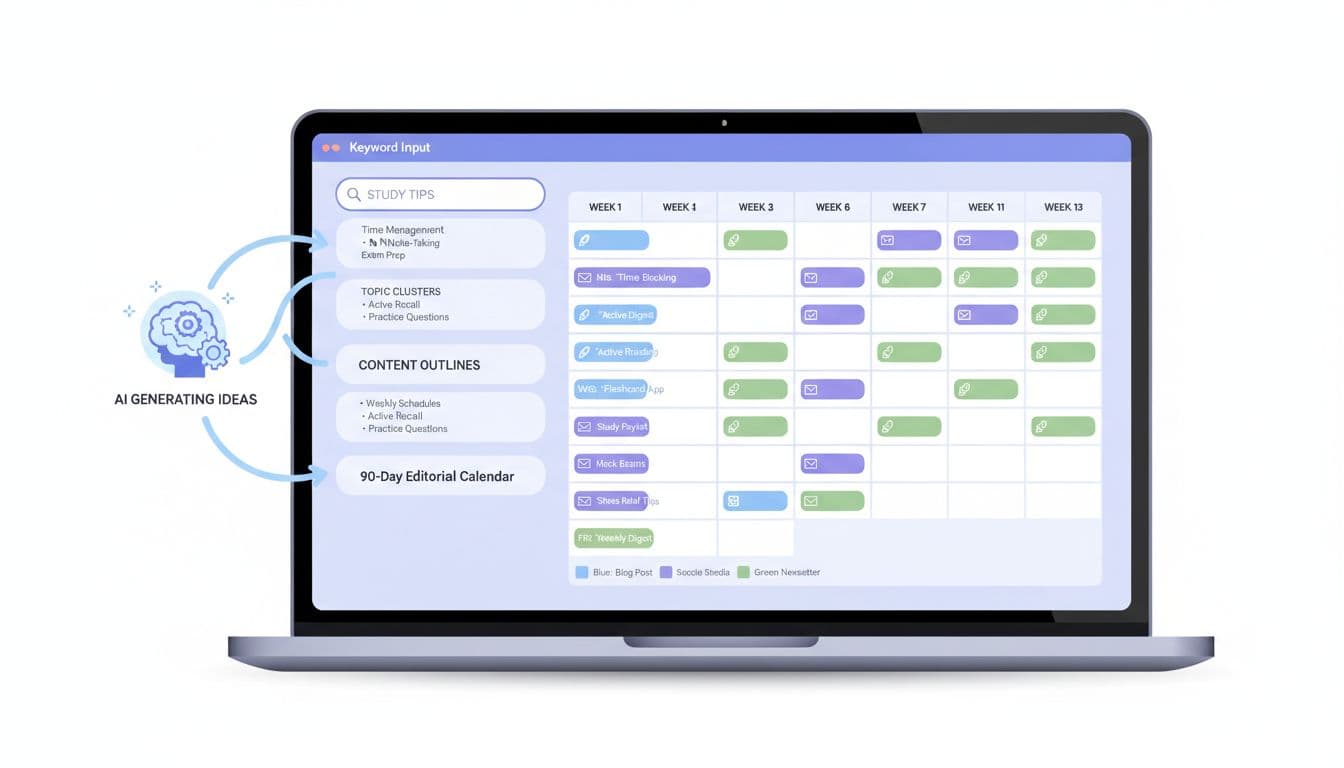
AI dashboard converting keyword clusters into a 90-day editorial calendar. Image generated by AI.
Step 4: Ask AI For Titles, Outlines, And SEO Support
With topics and dates fixed, you can use AI to speed up the details for each post.
For every calendar entry, give AI the keyword, topic cluster, and audience. Then ask for:
- A list of 5 to 10 SEO friendly titles.
- A detailed outline with headings and bullet points.
- A short meta description and suggested subheadings.
Pick the best title, then tweak it so it sounds like you. Use the outline as a guide, not a script. Add your own stories from lectures, group work, or exams so the post feels real, not robotic.
Step 5: Keep Control Of Your AI Blog Content Calendar
AI is a smart assistant, not your editor in chief. Your judgment keeps the calendar useful.
Some simple rules:
- Always check facts, especially for science or law topics.
- Cut any section that feels too generic or off-topic.
- Adjust the posting pace when coursework stacks up.
Leave at least one “buffer” post each month that you can move around. When a surprise deadline appears, swap in an easier post or a shorter update, such as a reflection on your study week.
Common Mistakes Students Make With AI Content Planning
AI speeds things up, but it can also tempt you into shortcuts that hurt your blog.
Avoid these common problems:
- Copying drafts word for word, which leads to dull, samey posts.
- Ignoring your audience, by picking topics that are easy for AI but boring for real students.
- Overloading your schedule, such as planning daily posts you cannot keep up with.
- Forgetting promotion, by never sharing your posts in study groups or on social media.
Treat your AI blog content calendar as a guide, not a strict rulebook.
Conclusion
One focused keyword list, plus smart AI tools, can power a full 90-day plan without draining your study time. You get a clear AI blog content calendar, a steady stream of post ideas, and less stress every week.
Start small: pick your topic, list your keywords, and build a simple 4-week schedule. Once that works, stretch it to 90 days. Your future self, buried under essays, will be grateful you did the planning now.
Frequently Asked Questions About Using AI To Build A 90-Day Blog Content Calendar
Is using AI to plan my blog cheating?
No. Using AI for ideas and structure is like using a planner or a highlighter. You still write the posts, share your own views, and check facts. The work is yours.
How many keywords do I need before I use an AI calendar tool?
You can start with as few as 15 to 20 keywords. More keywords give AI more options, but a smaller, focused list is easier to manage, especially if this is your first calendar.
Can I do this with only free tools?
Yes. Tools such as Mailmodo Content Calendar Generator, Voilà AI Content Calendar Generator, and Venngage AI Calendar Generator all have free options that are enough for student blogs. You can also use free AI chat tools for grouping and outlines.
What if I fall behind on my 90-day schedule?
Do not delete the calendar. Move posts to later dates, combine smaller ideas into one stronger article, or reduce your posting frequency. The plan should bend around your life, not the other way round.
How often should I update my AI blog content calendar?
Check your calendar every month. Look at which posts did well, add new keyword ideas, and shift topics to match exam periods or new interests. A living calendar will grow with you through school or university.