A screenshot can feel like proof. It looks concrete, like a photo of the truth. But viral screenshots are also one of the easiest ways to spread a lie, because they travel faster than the original post ever could.
If you’re a student, this matters more than you think. Group chats, society pages, campus drama, politics threads, even “exposed” DMs can shape reputations in minutes. Before you repost anything, it’s worth learning how to verify viral screenshots in a way that’s quick, calm, and fair.
Key Takeaways
- A screenshot is not a source, it’s a claim. Treat it like a rumour until you find the original.
- Start with basics: account handle, date, device UI, and whether the post has a working link.
- Use text search, replies, and reposts to locate the real post, even if it’s “deleted”.
- For DMs, verify the wider context and ask for proof that can’t be faked easily.
- When in doubt, don’t “share with a disclaimer”. That still spreads it.
Table of Contents
- Key Takeaways
- Start by reading the screenshot like a detective, not a fan
- Try to find the original post (because screenshots are easy to manufacture)
- “It was deleted” isn’t proof, it’s a prompt to verify harder
- Use a quick “red flag” checklist (and trust patterns)
- DMs and private messages: verify the context, not just the bubbles
- Decide whether sharing helps, even if it’s true
- Frequently Asked Questions About Verifying Viral Screenshots
Start by reading the screenshot like a detective, not a fan
Most fake screenshots fail on small details. Your job is to slow down and look for them.
Check these first:
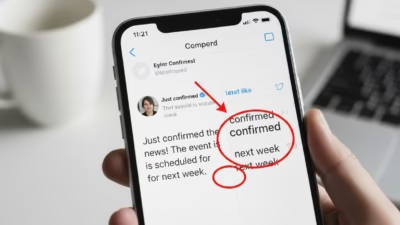
- Handle and display name: people change names, but handles are harder to fake convincingly. Look for subtle swaps (like an “l” for an “I”).
- Timestamp and time zone: does it show a date, “2h”, or nothing at all? Cropped screenshots often hide the parts that would expose the claim.
- Platform layout: X (formerly Twitter) and Instagram have changed UI many times. A screenshot using an old layout for a “today” post is suspicious.
- Engagement numbers: do the likes, replies, and reposts look believable for that account?
If you want a deeper checklist for tweet-style screenshots, the Global Investigative Journalism Network has a clear guide worth bookmarking: Simple tips for verifying if a tweet screenshot is real or fake.
Try to find the original post (because screenshots are easy to manufacture)
The fastest way to verify viral screenshots is to locate the original, not to argue about the image.
A practical method that works on most platforms:
- Search the exact text in quotes on Google (or within the platform search). Even a short phrase can be enough.
- Check the account’s timeline around the claimed date (if the handle is visible).
- Look for reposts and replies. Viral posts leave footprints. People quote them, reply to them, screenshot them again.
If the screenshot claims a celebrity or public figure said something outrageous, the odds are higher that someone archived it, reported it, or responded while it was live. If nothing shows up anywhere, that’s a signal.
A real example of why this matters: fact-checkers have repeatedly found viral “CNN tweet” screenshots that never existed, including a widely shared fake claiming CNN said Steven Seagal was fighting in Ukraine. The screenshot did the rounds, but searches and checks turned up no real post.
“It was deleted” isn’t proof, it’s a prompt to verify harder
Deleted posts do happen. People panic, regret, or get told by PR to remove something. But “deleted” is also the perfect excuse for a forgery, because it blocks your easiest check.
If the post is supposedly from X, there are a few routes you can try before you give up. This walkthrough is a solid starting point: How to check if that ‘deleted’ tweet is real.
Also check for supporting evidence that doesn’t rely on the same screenshot being reposted:
- Multiple angles: do you see different screenshots from different users, or the same crop everywhere?
- Direct links: sometimes a screenshot includes part of a URL or post ID. That’s more useful than it looks.
- Newsroom behaviour: if it’s truly major, credible outlets tend to embed links or show their own captures, not just repost someone else’s image.
If all you have is “my mate saw it before it got deleted”, treat it as unverified.
Use a quick “red flag” checklist (and trust patterns)
A viral screenshot is like a photocopy of a photocopy. Each share strips away context, and each edit gets harder to spot at first glance. Patterns help.
Here’s a quick scan you can use in under 30 seconds:
| What you see in the screenshot | Why it matters | What to do next |
|---|---|---|
| No date, no handle, heavy cropping | Missing context is often the point | Ask for the uncropped image or link |
| Odd fonts, misaligned icons, blurred UI | Signs of editing or a generator | Compare with real posts on that platform |
| Perfectly framed outrage line | Crops hide qualifiers, replies, or threads | Search the text and look for the full thread |
| Huge claim, zero other traces | Real virality leaves footprints | Check search results, reposts, and replies |
If you want examples of how fake social posts are built and the tell-tale signs they leave, this piece is useful: How to identify fake social media screenshots.
DMs and private messages: verify the context, not just the bubbles
DM screenshots are harder, because there’s no public record to check. That’s why they’re used in call-outs and “exposés”. They’re also easy to manipulate with name changes, contact edits, or fake chat generators.
To verify viral screenshots of DMs, focus on what can be checked:
- Ask what happened before and after: a single message can be bait, sarcasm, or a reply to something worse (or harmless).
- Look for continuity: do timestamps, message spacing, and read receipts make sense across multiple screenshots?
- Request stronger proof (if you’re directly involved): screen recordings that open the chat, show the profile, and scroll through the conversation are harder to fake than one static image (not impossible, just harder).
Also be careful with privacy. Even if a DM is real, sharing it can still be unfair or risky, especially if it exposes phone numbers, usernames, or personal info. If this is about campus conflict, a tutor or safeguarding team is often a better route than broadcasting it.
Decide whether sharing helps, even if it’s true
Students often share first because it feels urgent, funny, or socially rewarding. But the cost can be real: harassment, dogpiling, and reputations damaged on thin evidence.
A good rule: if you can’t verify it, don’t help it spread. Avoid “I don’t know if this is real but…” posts. Disclaimers don’t stop damage, they just move blame around.
If you’re writing about misinformation for class or want more context on why platforms struggle to control it, this discussion is a helpful read: Should social media platforms be liable for misinformation?
Frequently Asked Questions About Verifying Viral Screenshots
What’s the quickest way to verify viral screenshots?
Find the original post. Search the exact wording, check the account timeline, and look for replies or reposts. If the screenshot is real and truly viral, there’s usually a trail.
Are screenshots ever acceptable as evidence?
They can be a starting point, not a conclusion. For anything serious (misconduct, threats, public accusations), you need more: links, archived copies, multiple independent captures, or confirmation from credible reporting.
How can I tell if a tweet screenshot is made with a generator?
Look for UI mistakes (wrong fonts, odd spacing, mismatched icons), strange engagement formatting, and handles that don’t match the display name style. Then compare it with real posts from the same period.
If a post is deleted, does that mean it was real?
No. “Deleted” is a claim. Real deletions often have traces (quote posts, replies, cached previews, or reporting). If there’s no trace beyond one screenshot, stay sceptical.
What should I do if friends are sharing an unverified DM screenshot in a group chat?
Ask for context and discourage reposting. Suggest reporting to the right channel if it’s serious. The most responsible move is often to pause the spread while you verify viral screenshots, rather than adding your own share to the pile.
The internet rewards speed, but your reputation runs on judgement. Slow down, check the basics, and share only what you can stand behind.